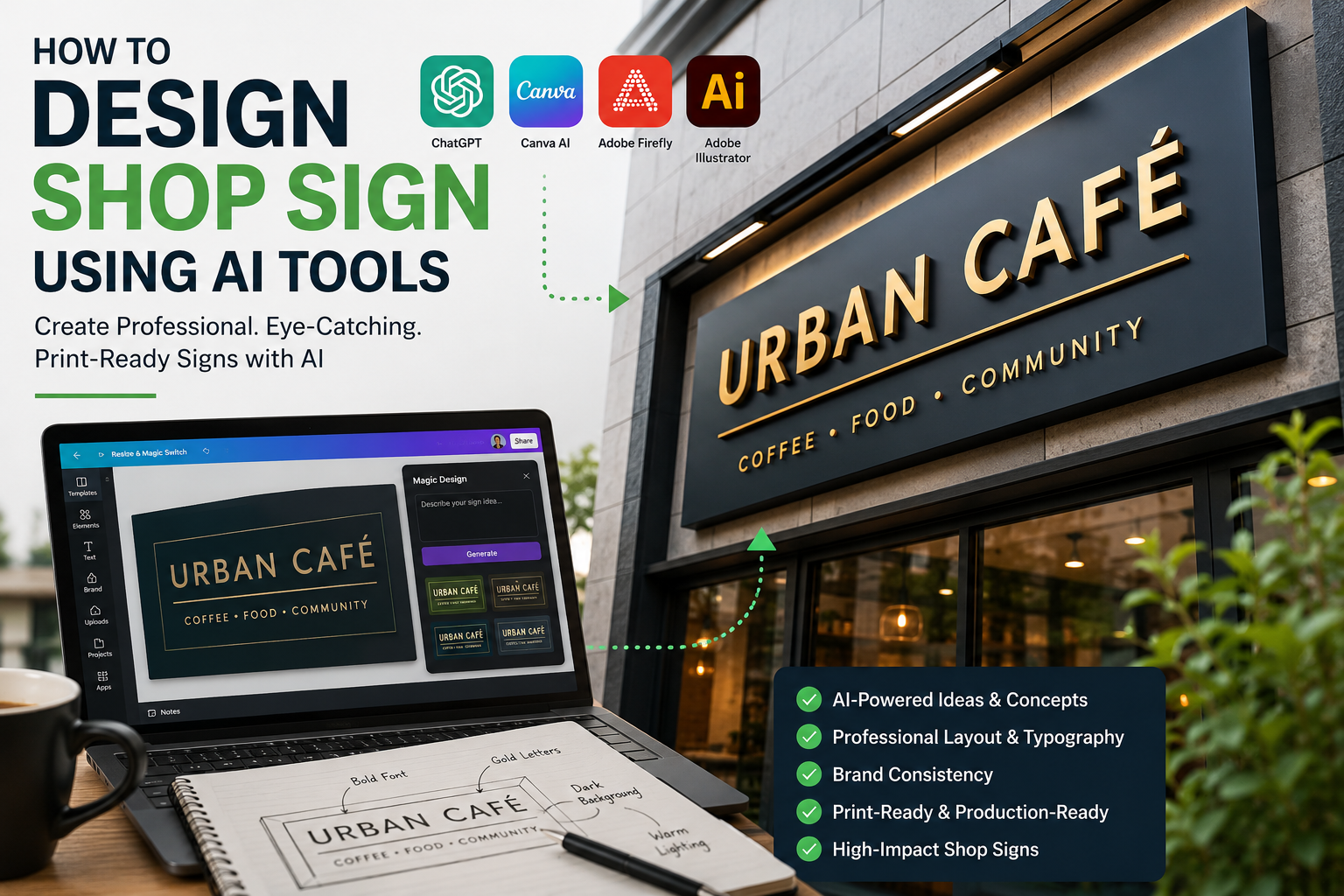

Artificial intelligence has changed how business owners plan, visualise and refine shop sign designs. Tools such as Canva AI, Adobe Firefly, ChatGPT and professional design software can help you explore ideas faster, test colour combinations, create layout concepts and prepare a clearer design brief.
However, AI should not replace proper branding, signage and marketing knowledge. A shop sign is not just a nice-looking graphic. It must be readable, on-brand, correctly sized, suitable for the chosen material, visible from a distance and strong enough to support your wider marketing strategy.
At London Boost Marketing, we help businesses turn creative ideas into professional, high-impact branding, signage, printing and digital marketing assets across London.
AI tools can speed up the early design stage. Instead of starting with a blank page, you can use AI to generate ideas for shop front colour schemes, logo placement, signboard layouts, 3D lettering concepts, illuminated sign ideas, window graphics, brand style direction, taglines and promotional wording.
For example, Canva’s Brand Kit can help businesses keep fonts, colours and logos consistent across marketing designs. Meanwhile, Adobe states that many outputs from non-beta Adobe Firefly generative AI features can be used commercially, although businesses should always check the Adobe Generative AI User Guidelines before using AI-generated artwork for business purposes.
Before using any AI tool, write a proper brief. A weak prompt gives weak results.
Your brief should include your business name, business type, shop location, brand colours, preferred style, sign size, material preference, lighting requirements, main message and contact details, if needed.
Here is a useful AI prompt:
“Create a modern shop sign concept for a London coffee shop. Use warm neutral colours, bold readable lettering, a simple layout and a premium high-street feel. Make the business name clearly visible from a distance.”
This gives the AI direction. Without this, the result will usually look generic.
Different tools are useful for different stages.
Use ChatGPT for writing your design brief, generating creative directions, creating signage wording and comparing design ideas.
Use Canva AI for quick mock-ups, brand consistency, social media previews and layout testing.
Use Adobe Firefly for visual concepts, background ideas and creative image generation.
Use Adobe Illustrator or Photoshop for professional artwork refinement. AI-generated ideas often need proper vector work, colour correction, scaling and print preparation before they can be manufactured.
This is where many AI-generated signs fail.
A shop sign must be readable quickly. People walking or driving past your shop will not stop to analyse complicated artwork. Your business name should be clear within seconds.
Good shop sign design usually needs large, bold lettering, strong colour contrast, simple spacing, minimal clutter, clear hierarchy, correct viewing distance and professional alignment.
Avoid thin fonts, over-detailed backgrounds and too much text. AI may produce attractive visuals, but attractive does not always mean practical.
Your shop sign should match your wider brand identity. The colours, logo, typography and tone should connect with your website, business cards, leaflets, menus, packaging, social media posts and Google Business Profile.
If your brand looks premium online but your physical signage looks cheap, customers notice the mismatch. Likewise, if your sign looks professional but your website and social media look outdated, your marketing will feel disconnected.
London Boost Marketing supports businesses with website design in London, helping brands create a stronger and more consistent online presence alongside their physical marketing.
A design that looks good on screen may not work on every sign material.
Common shop sign options include aluminium composite panels, acrylic letters, 3D built-up letters, illuminated signs, fascia signs, window vinyl, projecting signs and shop awnings.
Each material affects how the design looks in real life. For example, thin details may not work well with cut vinyl or 3D lettering. Very dark colours may need better lighting. Small text may disappear when viewed from across the road.
London Boost Marketing’s services include business printing and business signage, including posters, banners, flyers, leaflets, pavement signs, T-shirt printing and custom window signage.
AI is useful for inspiration, but final signage artwork must be technically correct.
Before printing or manufacturing, artwork usually needs correct dimensions, high-resolution files, vector logo files, CMYK colour setup where required, bleed and safe margins, accurate scaling, clean typography and material-specific adjustments.
Do not send a random AI-generated image straight to production. It may look sharp on your screen but fail when enlarged for a full shop front.
A strong shop sign should not work in isolation. It should support your wider marketing.
That means your shop sign should connect with your website design, Google Business Profile, local SEO, social media content, printed materials and paid advertising. When all of these elements look and sound consistent, your business becomes easier to recognise and more trustworthy.
London Boost Marketing provides Local Google SEO, social media marketing, Google Ads management, web design, business printing and business signage, giving businesses a more joined-up approach to visibility and growth.
Here is a strong prompt you can copy and adapt:
“Create a professional shop sign design concept for a [type of business] in [location]. The business name is [business name]. Use [brand colours]. The design should be modern, readable from a distance, suitable for a high-street shop front and easy to produce as a physical sign. Include clear logo placement, bold typography and a clean layout.”
You can also add:
“Make it suitable for aluminium composite signboard, acrylic lettering and window graphics. Keep the design consistent with a professional website, Google Business Profile and social media branding.”
This helps the AI think beyond a flat digital image.
Many business owners make the same mistakes when using AI for shop sign design.
The biggest mistakes are using too many colours, choosing fonts that are hard to read, adding too much information, forgetting the viewing distance, ignoring material limitations, using low-resolution images, copying a design style that does not fit the brand and sending AI artwork directly to print without checking it.
Another common mistake is treating the sign as a separate design job rather than part of the wider brand. Your shop sign, website, printed material, social media and Google presence should all work together.
London Boost Marketing helps businesses improve their visibility through signage, branding, printing, web design, Local Google SEO, social media marketing and Google Ads management. Whether you already have an AI-generated idea or need a complete marketing and branding direction from scratch, we can help turn your concept into a professional and practical result.
For expert support with shop sign design, business signage, printing, websites and digital marketing, contact the team through the London Boost Marketing website.